
What Is Temporary Email? How It Works + Uses (2026)
A temporary email (also called disposable email or temp mail) is a short-term inbox you can use to receive messages without sharing your real email address. It’s commonly used for quick sign-ups, verification links, newsletters, and testing-especially when you want to avoid spam.
In this guide, you’ll learn how temporary email works, what it’s good for, what to avoid, and how to use it safely. If you want to try one right now, you can start with TempmailSo’s free temporary email address.
What is a temporary email?
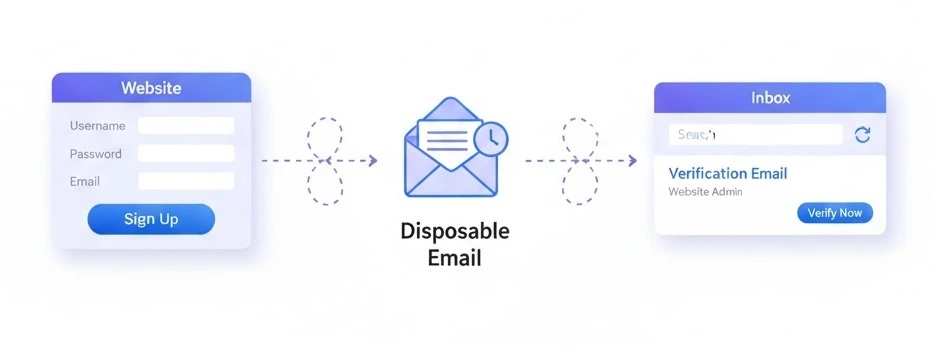
A temporary email address is a mailbox created for short-term use. Instead of giving a website your personal email (like Gmail or Outlook), you use a disposable address. Any verification emails or messages sent to that address appear in the temporary inbox.
You may also see these names online:
- Disposable email
- Temp mail
- Throwaway email
- Burner email
How does temporary email work?
The steps to create and use a temporary email address include generating an inbox, copying the address, opening it on another device, and deleting it after a short-lived task.
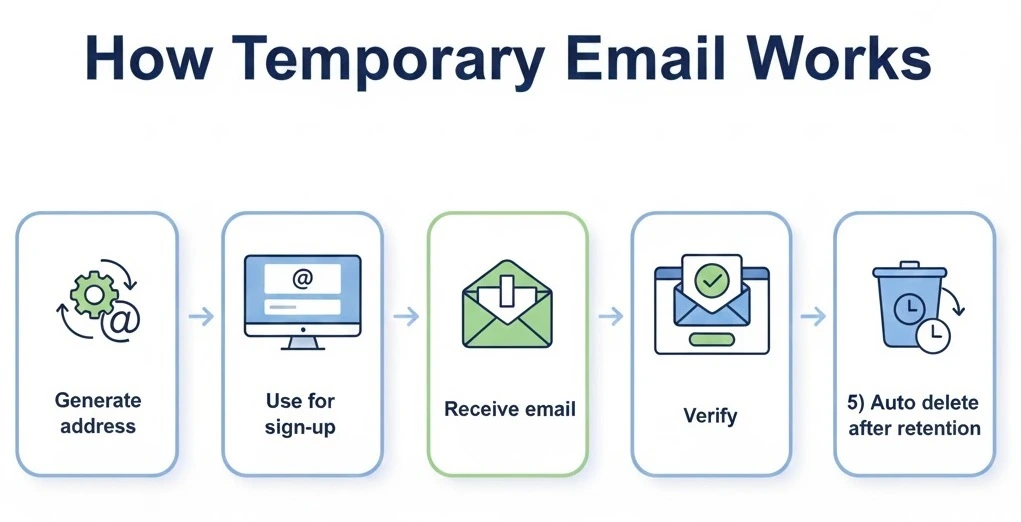
Most temp mail services follow the same simple flow:
- Generate an address: You receive a random inbox (or choose a username + domain).
- Use it for sign-up: Paste the disposable email into the website or app you’re registering for.
- Receive messages: Verification links, OTP codes, and welcome emails show up in your temporary inbox.
- Use what you need: Click the verification link or copy the code.
- Automatic cleanup: Messages are deleted after a retention period (for privacy).
For example, TempmailSo is designed to be fast and privacy-focused, with no sign-up and no ads.
Access Your Temporary Inbox on Other Devices
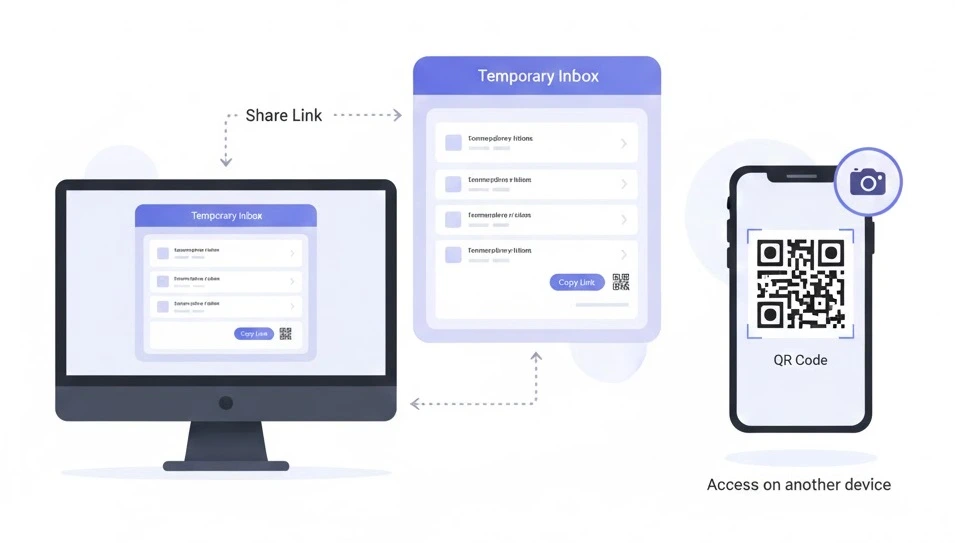
Sometimes you start a signup on one device and need to check the verification email on another. TempmailSo makes this easy with built-in sharing options.
You can share your temporary inbox using a secure link or a QR code. Opening the link or scanning the QR code on another device lets you access the same inbox instantly-without logging in or creating an account.
- Share via link: Copy the inbox link and open it on another phone, tablet, or computer.
- Share via QR code: Scan the QR code to access the inbox quickly on a different device.
This feature is especially useful when:
- Signing up on a desktop and verifying on your phone
- Testing registrations across multiple devices
- Working without syncing personal email accounts
Important: Anyone with the link or QR code can access that inbox. Share it only with devices or people you trust, and avoid using it for sensitive accounts.
Why do people use temporary email?
People use disposable emails for one main reason: privacy. But there are several practical benefits:
- Avoid marketing spam: Don’t let a one-time registration flood your real inbox.
- Reduce tracking: Limit how often your personal email is used as an identifier.
- Faster sign-ups: No account creation needed on the temp mail service.
- Safer testing: Developers and QA teams can create multiple test accounts quickly.
If your main goal is avoiding spam after a quick signup, you’ll like this next: Burner email for online registration.
What can you use temporary email for?
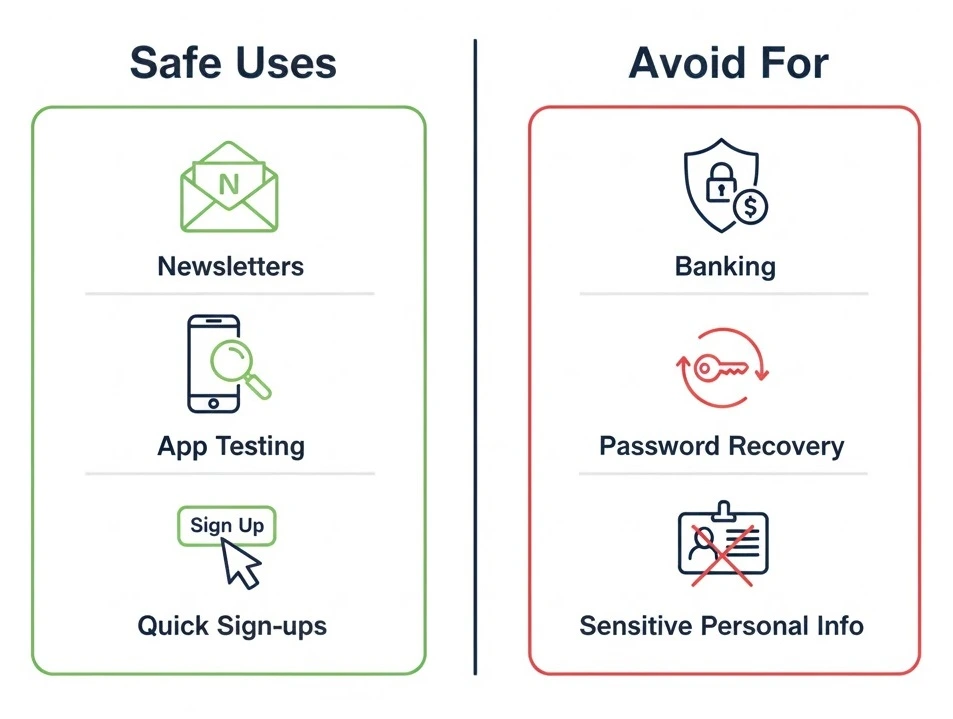
Temporary email works best for short-term actions where you only need to receive messages (not send them). Common use cases include:
Online registrations and free trials
Many sites require email verification before you can access content or start a trial. Temp mail helps you verify quickly without exposing your personal inbox.
Verification links and one-time messages
Need to click a single verification link? A disposable inbox is often enough.
OTP and verification codes (use carefully)
Some services send one-time passwords (OTP) or login codes by email. Temp mail can work for low-risk accounts, but avoid using it for anything important. Learn more here: Temporary inbox for OTP verification.
Newsletter signups
If you want a free download or access to a newsletter without long-term spam, disposable email can help. (We’ll cover this in Anonymous email for newsletter signups.)
App testing and QA
Developers often need many inboxes to test sign-up flows and email templates. See: Fake email generator for app testing.
What should you NOT use temporary email for?
Temporary email is not designed for long-term ownership or sensitive communications. Do NOT use a disposable inbox for:
- Banking, wallets, or financial services
- Password recovery for critical accounts
- Government services
- Private personal or confidential information
Why? Because temporary inboxes are meant for short-term use, and messages may be deleted automatically. For a clear summary of risks and limitations, read our Disclaimer.
How long does a temporary email last?
It depends on the provider. Some services are known as “10 minute mail” and expire quickly. Others offer longer retention to help with multi-step signups or delayed verification emails.
On TempmailSo, all messages are deleted after 30 days for privacy. That means the inbox address can be reused, but older messages won’t remain forever. If you want the full comparison between short-lived inboxes and longer retention, see: How long does a temporary email last?
Is temporary email safe?
Yes-temp mail is generally safe for temporary, low-risk messages, like newsletter signups or one-time verification links. To stay safe:
- Use temp mail for short-term accounts only
- Never share sensitive data via disposable inboxes
- Delete messages after you finish using them (when possible)
- Expect that some domains may rotate over time to reduce blacklisting
If you want a deeper breakdown of pros, cons, and best practices, read: Is temporary email safe to use?
Temporary email vs regular email
Here’s the simplest way to decide:
- Use regular email (Gmail/Outlook) for important accounts, long-term communication, password recovery, and anything you may need years later.
- Use temporary email for quick signups, verification, newsletters, free trials, and testing-where privacy and spam prevention matter most.
We’ll also publish a detailed comparison here: Temporary email vs Gmail.
Frequently asked questions
Is temporary email legal?
In most places, using temporary email is legal when used for lawful purposes. Don’t use it for fraud, abuse, or bypassing rules that violate a service’s terms.
Can I reuse a temporary email address?
Often yes. On TempmailSo, you can reuse an address by selecting Change and entering the old email/username. The inbox address is reusable, but older messages may be gone after the 30-day deletion period.
Can I send emails from a temporary inbox?
Most temporary email services-including TempmailSo-are receive-only. This helps reduce spam and abuse.
Why do some websites block temp mail?
Some services block disposable domains to reduce spam or fake signups. If a domain gets blocked, providers may rotate domains to keep the service usable.
Conclusion
Temporary email is one of the simplest tools for protecting your privacy and avoiding spam-especially for quick signups and short-term accounts. Use it responsibly, avoid sensitive use cases, and treat it as a convenience layer-not a replacement for your main inbox.
Ready to try it? Generate your address on TempmailSo and receive emails instantly with no sign-up and no ads.