
How Long Does a Temporary Email Last? 10 Minute vs Long Lifespan
The lifespan of a temporary email depends on the service you use. Some inboxes disappear after just a few minutes, while others stay available for days or even weeks. Understanding these differences helps you choose the right option and avoid losing access to important verification emails.
This guide explains how long temporary email usually lasts, what happens when messages expire, and how longer retention can be useful for real-world signups.
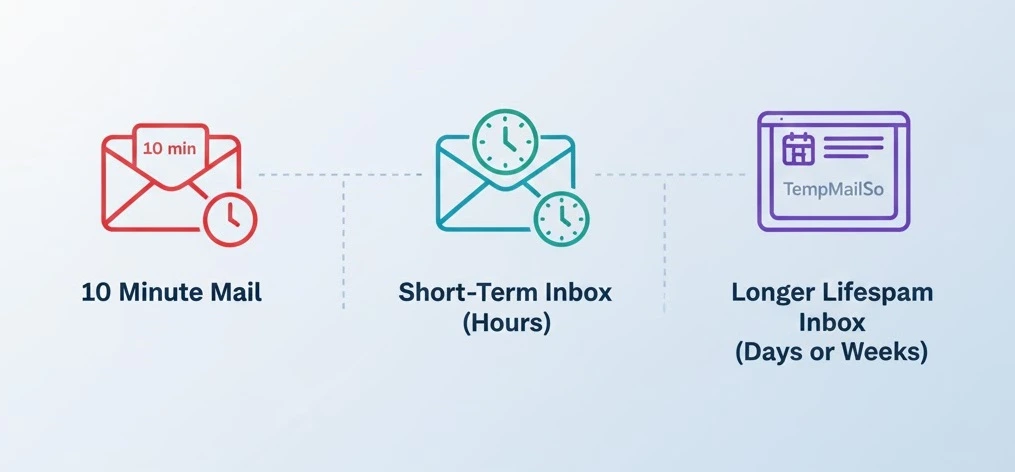
Typical lifespans of temporary email services
Temporary email providers follow different retention models. The most common ones fall into three categories.
10 minute mail
Some services create inboxes that expire after around 10 minutes. This model works for very fast verification, but it can be frustrating if an email arrives late or you need to confirm multiple steps.
- Best for one-time verification links
- High risk of missing delayed emails
- Not suitable for multi-step signups
Short-term inboxes (hours)
Other disposable email services keep messages for several hours. This gives more flexibility than 10 minute mail, but still limits reuse.
- Better for short registrations
- Still risky for follow-up emails
- Limited long-term access
Longer lifespan inboxes (days or weeks)
Longer lifespan temporary email keeps messages available for a longer period before deletion. This is useful when verification emails are delayed or when a website sends follow-up messages.
- More reliable for real-world signups
- Better for testing and trial accounts
- Lower risk of losing access too quickly
This retention model is commonly preferred when using a burner email for online registration.
What happens when a temporary email expires?
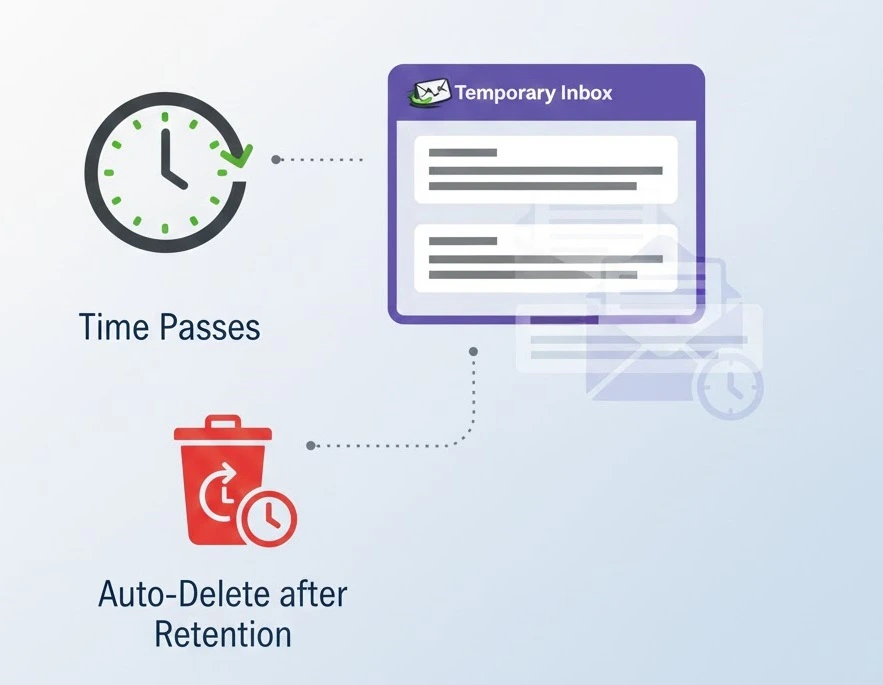
When a temporary email reaches the end of its lifespan, messages are removed from the inbox. The exact behavior depends on the service.
- Emails are deleted automatically for privacy
- The inbox may become empty or inaccessible
- The address may be reused later
Expiration is designed to reduce data retention and protect user privacy, not to provide permanent storage.
Can you reuse a temporary email address?
The temporary inbox setup and reuse steps show how to generate an address, return to it when needed, and remove it after a short-lived task.
In many cases, yes. Some providers allow the same inbox address to be reused even after messages are deleted. This means the inbox itself stays available, but previous emails may no longer be there.
On services like TempmailSo’s free temporary email address, inboxes can be accessed again by entering the same email address or username. The inbox remains available, while messages are deleted after a fixed retention period.
This reuse option is helpful when:
- You need to complete verification later
- You want to check if new messages arrive
- You switch devices during signup
Why longer lifespan matters
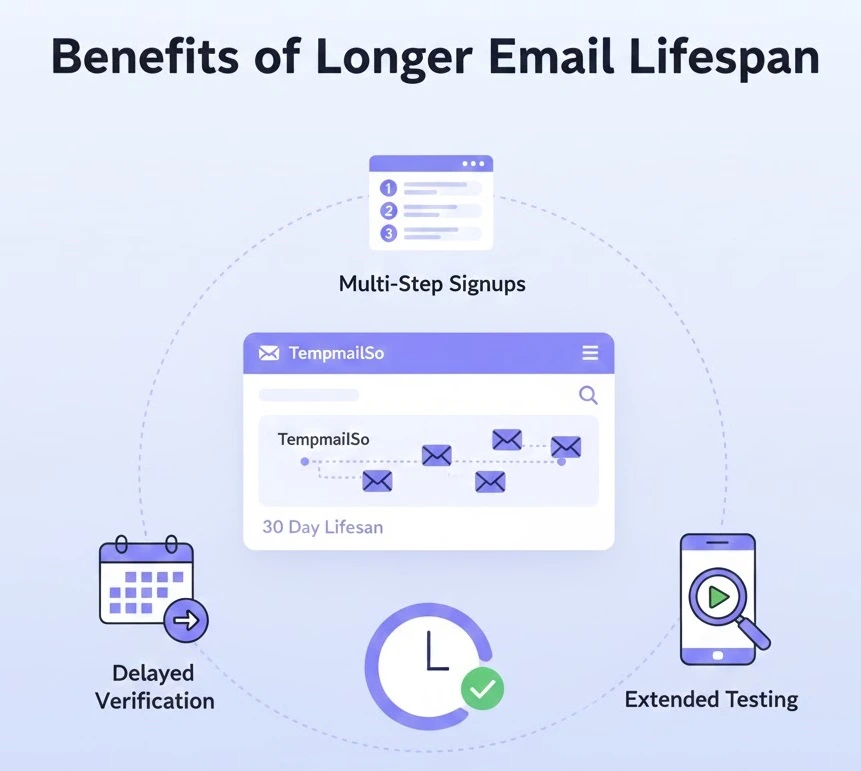
Many real-world websites do not send verification emails instantly. Some send reminders hours or days later. A longer temporary email lifespan reduces the chance of missing these messages.
It is especially useful for:
- Free trials with follow-up emails
- Multi-step account verification
- App testing and QA workflows
- Newsletter confirmations
Compared with short-lived inboxes, a longer lifespan disposable inbox provides more flexibility without turning temp mail into permanent storage.
How long does a temporary email last on TempmailSo?
TempmailSo uses a longer retention model designed for reliability and privacy. All messages are deleted after 30 days. This allows enough time for delayed verification or follow-up emails, while still limiting data storage.
The inbox address itself can be reused, but older messages may no longer be available after deletion.
Does inbox sharing affect lifespan?
Some temporary email services allow inbox access through a share link or QR code. This does not extend the lifespan of the inbox or messages. It only allows the same inbox to be opened on another device.
Sharing is useful when:
- Signing up on a desktop and verifying on a phone
- Testing workflows across devices
Anyone with the share link can access the inbox, so it should only be used for low-risk accounts.
How lifespan relates to safety
A longer lifespan does not automatically increase risk. Risk depends on how disposable email is used. Using temp mail for sensitive or long-term accounts remains unsafe regardless of retention length.
Good practice includes:
- Using temporary email only for low-risk accounts
- Avoiding sensitive personal or financial information
- Expecting messages to be deleted eventually
This balance between privacy and retention is often discussed when evaluating whether temporary email is safe.
Frequently asked questions
Is 10 minute mail enough for most signups?
It can work for very fast verification, but it often fails when emails are delayed or when multiple steps are required.
Can a temporary email last forever?
No. Temporary email services are designed for limited retention. Permanent access requires a regular email account.
What if a verification email arrives late?
Longer lifespan inboxes reduce this risk. Short-lived inboxes may expire before the message arrives.
Does deleting messages improve privacy?
Yes. Automatic deletion limits how long data exists and reduces long-term exposure.
Conclusion
Temporary email lifespan varies widely. While 10 minute mail works for quick tasks, longer lifespan inboxes are more reliable for real-world registrations, testing, and delayed verification emails.
Choosing a disposable email with sensible retention helps avoid frustration while still protecting your privacy. Details about limitations and acceptable use are explained in the Disclaimer.