
Free Temporary Email Address
Create a disposable email address in seconds. Receive emails without sharing your personal address, creating an account, or dealing with ads.
What is a temporary email address?
A temporary email address is a short-term inbox you can use instead of your personal email address. It receives incoming messages, including many verification emails, while helping keep newsletters and low-priority sign-ups out of your main inbox.
Temporary email is also called disposable email, temp mail, throwaway email, or a burner email. The important idea is the same: use a separate address for short-term, low-risk communication, then stop using or delete it when you are finished.
TempmailSo provides a free receive-only temporary inbox. You can generate a random address or choose an available username and domain, then start receiving messages right away.
How to create a temporary email address
-
Generate an address. Open TempmailSo and create a random address, or choose an available username and domain.
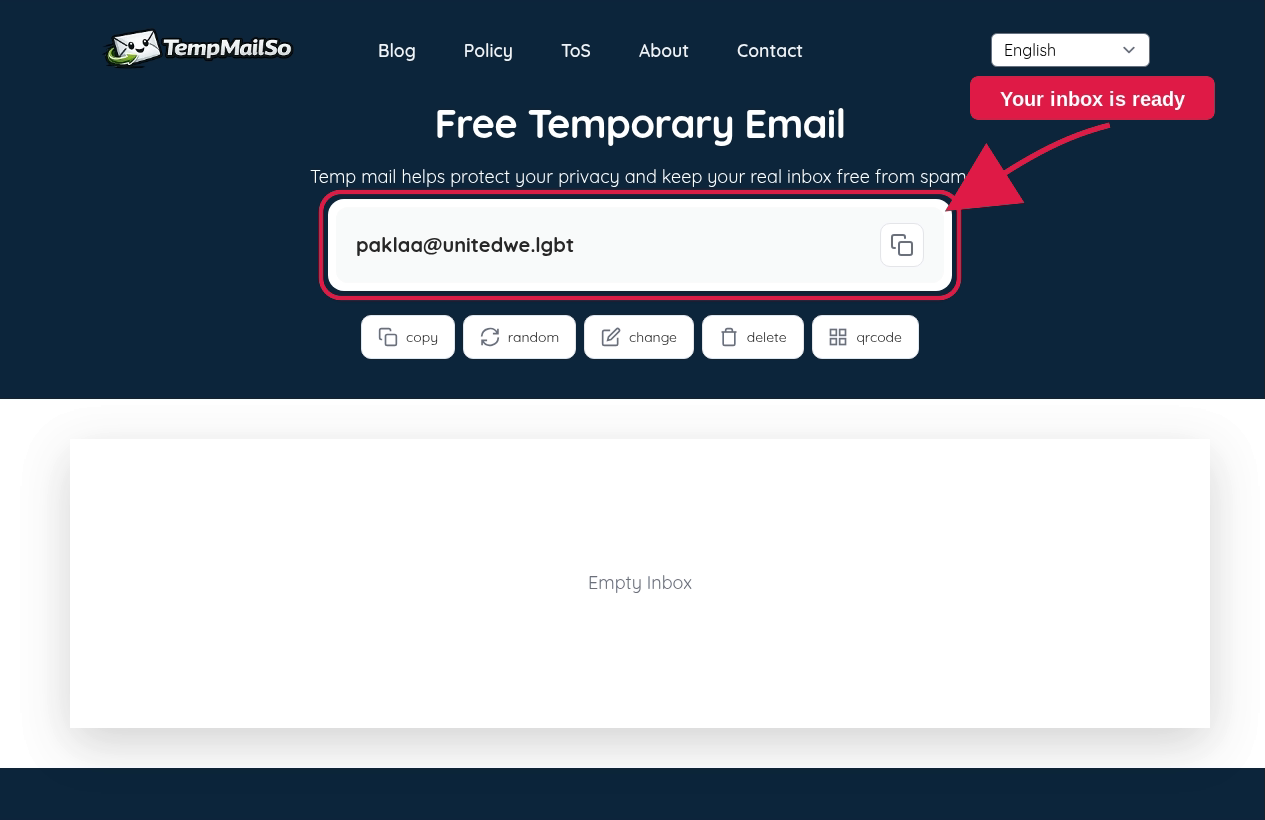
Your new temporary inbox is ready to use. -
Use the address for a low-risk task. Copy it when a website needs an email address for a newsletter, a one-time download, or a non-sensitive verification message.
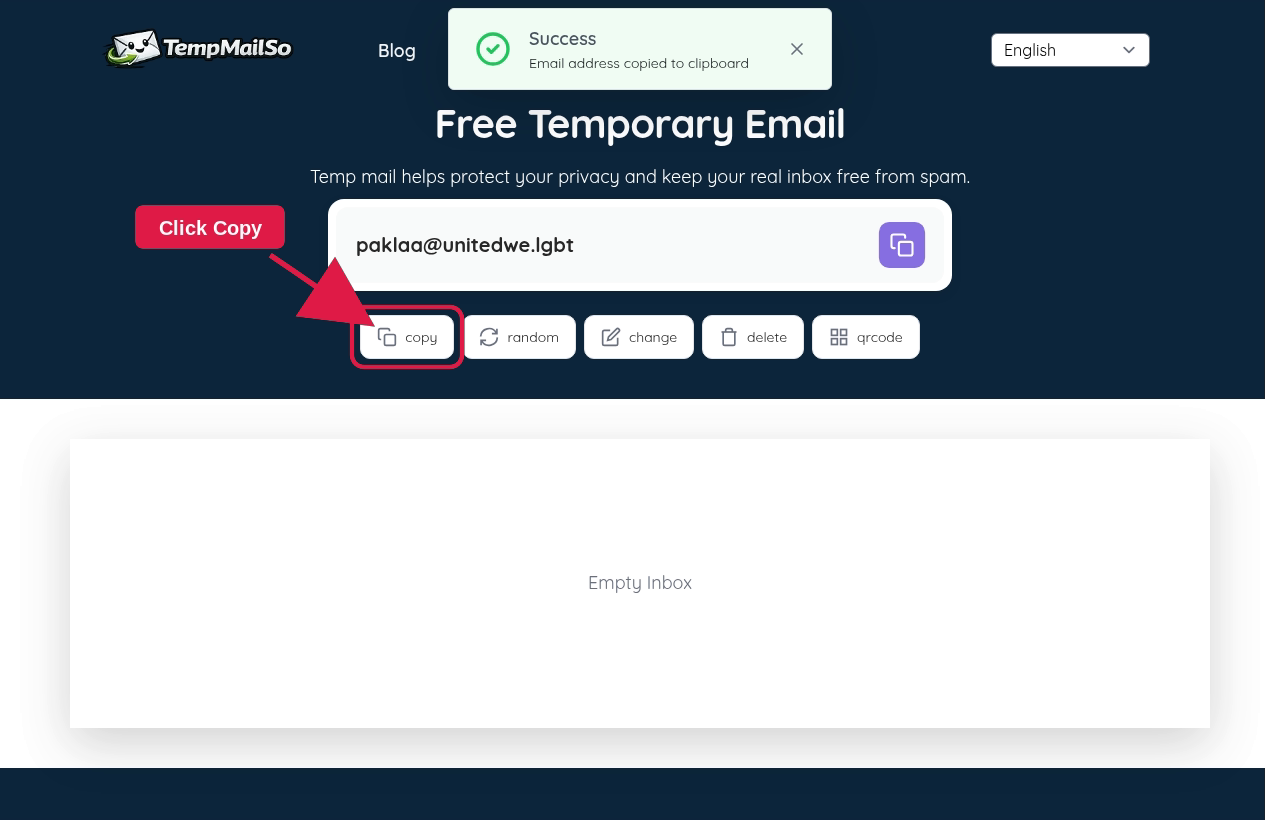
Copy the address before using it in a low-risk form. -
Check your inbox. Return to TempmailSo to receive the message. You can copy, change, share, or delete the address when needed.
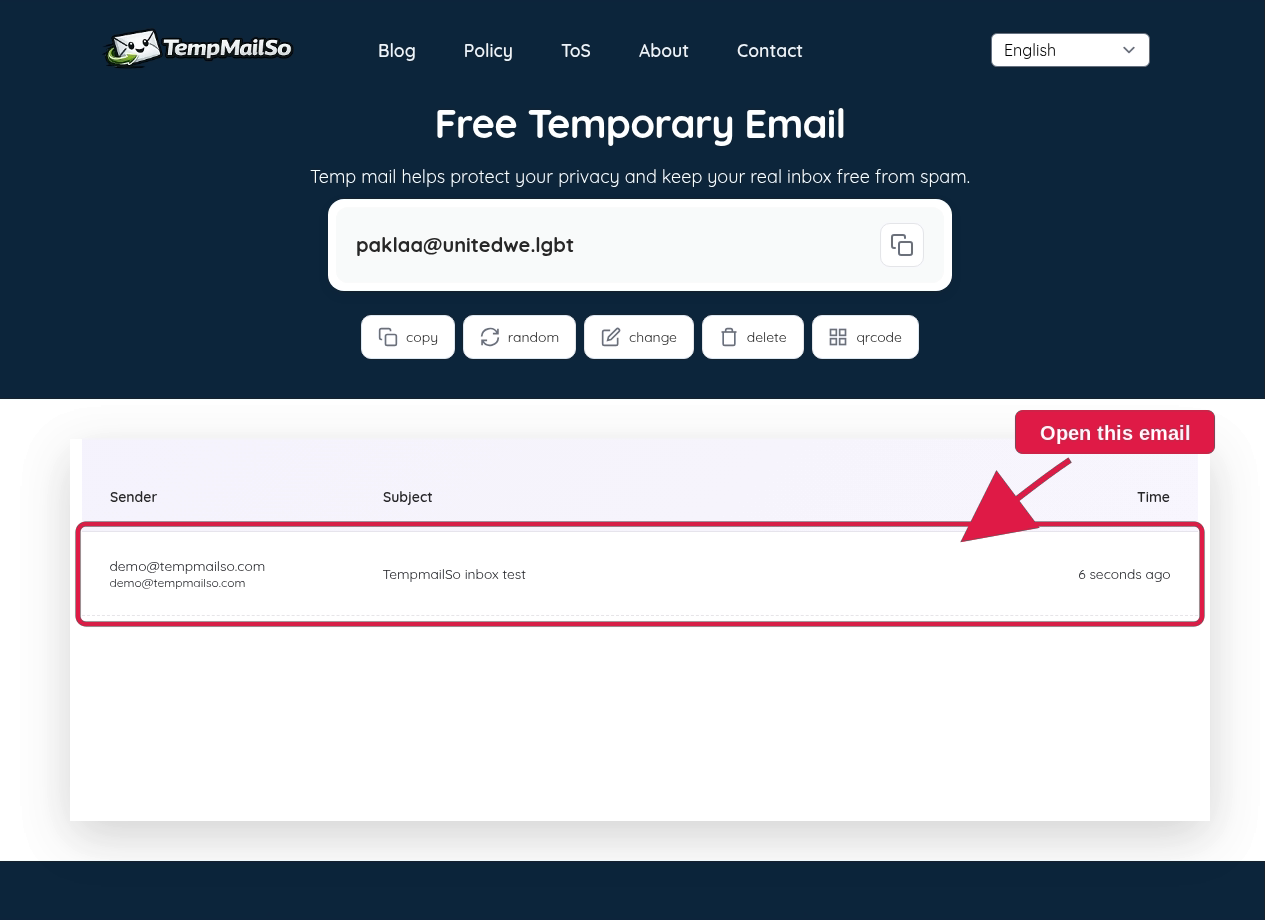
Incoming messages appear in the temporary inbox.
No account or personal email address is required to start.
The TempmailSo temporary email walkthrough also covers copying an address, changing it, opening the same inbox through QR sharing, and deleting it after use.
Why use a disposable email address?
Giving every website your personal email address can lead to unwanted newsletters, marketing campaigns, and a cluttered inbox. A temporary address creates separation between your important messages and sign-ups that do not need a permanent relationship.
- Reduce inbox clutter: keep nonessential sign-up emails out of your main inbox.
- Protect your privacy: avoid sharing your personal address for low-risk activities.
- Test email workflows: developers and QA teams can use a separate inbox while checking registration or notification flows.
- Receive messages quickly: create an inbox in seconds instead of creating another full email account.
- Control the address: delete or change it after the task is complete.
How long does a TempmailSo inbox last?
TempmailSo keeps a temporary inbox active for up to 30 days. This gives you more time than a short-lived 10-minute inbox when you need to return for a follow-up message. Emails are automatically removed after the retention period to support privacy.
Temporary email is still designed for short-term use. If a message is important, use a permanent email account that you control with a password and recovery options.
Temporary email versus a personal email account
| Temporary email | Personal email |
|---|---|
| Best for short-term, low-risk messages | Best for important and long-term communication |
| Can be created without registration | Usually requires an account and recovery details |
| Receive-only on TempmailSo | Can send and receive messages |
| Messages are retained for a limited period | Messages remain until you delete them or storage rules apply |
| Should not hold sensitive information | Can be secured with passwords and account recovery |
Use temporary email safely
A disposable inbox is useful for convenience and privacy, but it is not a secure replacement for your personal email account. Do not use it for banking, payments, work accounts, medical information, password resets, or anything containing sensitive personal data.
Also remember that temporary inboxes are not intended for confidential communication. Use an address only when the message is low-risk, and delete it when it is no longer needed. See our guide to temporary email safety and best practices for more detail.
Frequently asked questions
Is a temporary email address free?
Yes. TempmailSo lets you create and use a temporary inbox without registration or ads.
Can I receive verification emails with a temporary address?
Many services send verification messages to temporary inboxes, but some websites block disposable-email domains. Use a permanent address for important accounts.
Can I send emails from TempmailSo?
No. TempmailSo is a receive-only temporary email service. This helps limit spam and abuse.
Can I use the same temporary email address on another device?
You can return to an address by entering it again or sharing it with the available QR-code option. Do not treat a temporary inbox as private storage, and never use it for sensitive information.
What should I do when I no longer need the address?
Delete the address or stop using it. Temporary messages are removed automatically after the retention period.